Opportunity2

How To

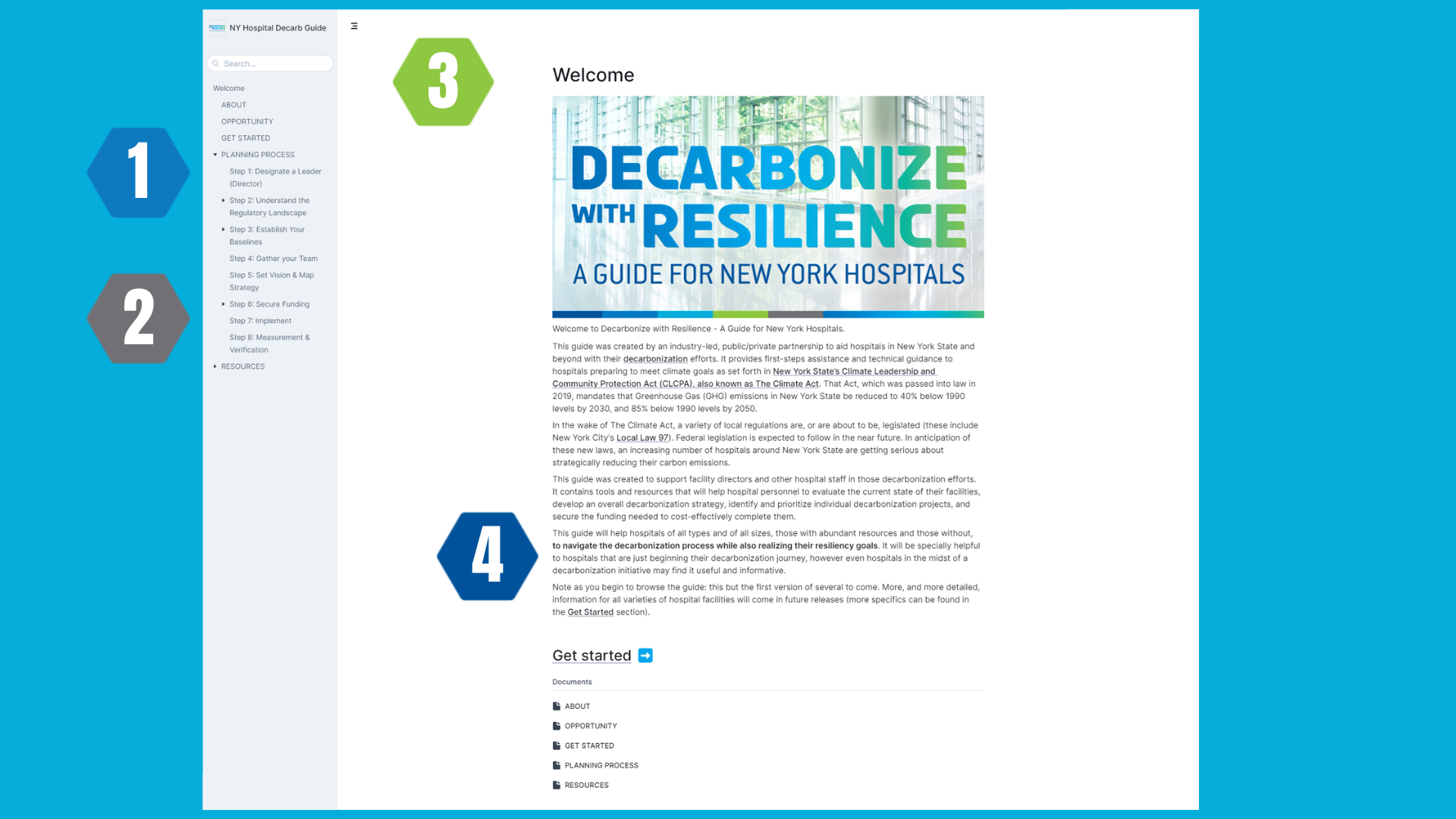
Below please find some tips and tricks on how to navigate the guide most efficiently. Please reference the corresponding numbers below to learn more.

Dwr How To 2
Left-Margin Navigation
  1. Hover on the left size of your screen to reveal the full navigation panel. Utilize to explore different sections throughout the guide.
  2. Look for arrows next to sections; clicking them will reveal more detailed information.
  3. Use the Search Bar to input keywords, phrases, or specific content you’re seeking.


Hyperlinked Words

4.  Throughout the guide, look for hyperlinked words to access more detailed information.

Skip to content